How to download a file from your own bucket

You already own the file. You want a copy on this laptop.
file.rocks is the UI. The object stays in the bucket you connected.
This is the get-files-out path. If you want a link you can send, that is how to share a file from your own bucket. If the file is still on the laptop, that is how to upload files to your own bucket.
1. No bucket yet
You need S3-compatible object storage. Not another Drive clone.
If you do not have a bucket hooked up, follow how to connect a Backblaze B2 bucket and come back. For the price table, see the cheapest cloud object storage comparison.
2. Open Files and download
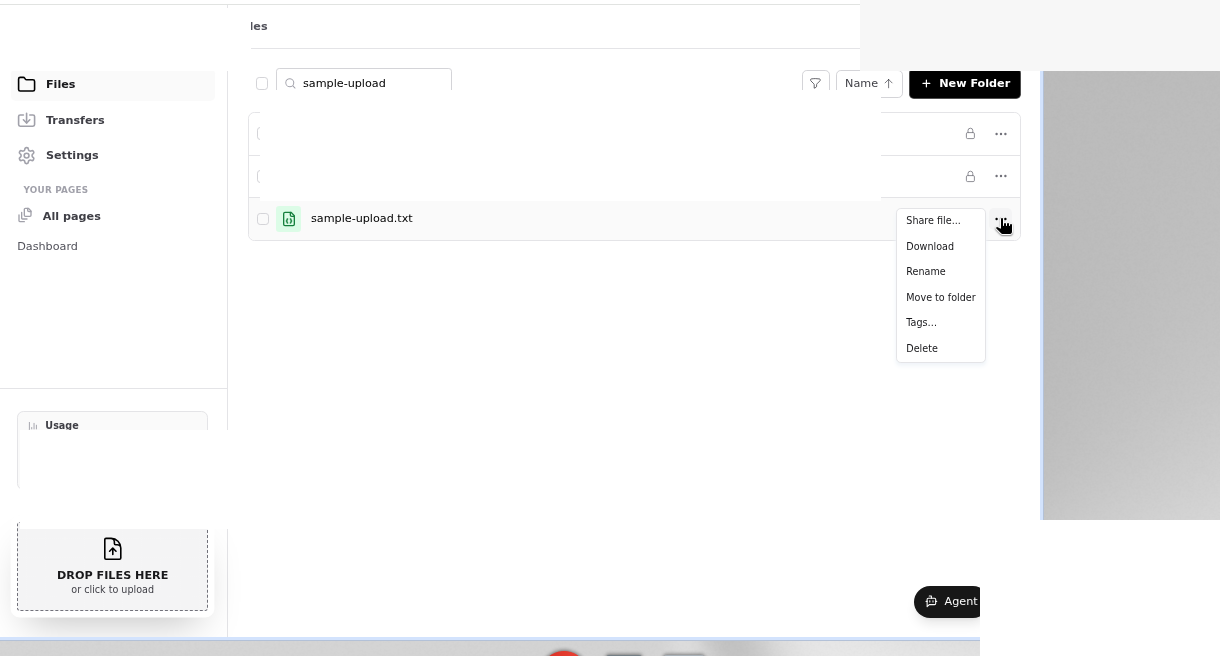
Sign in at file.rocks. Open Files.
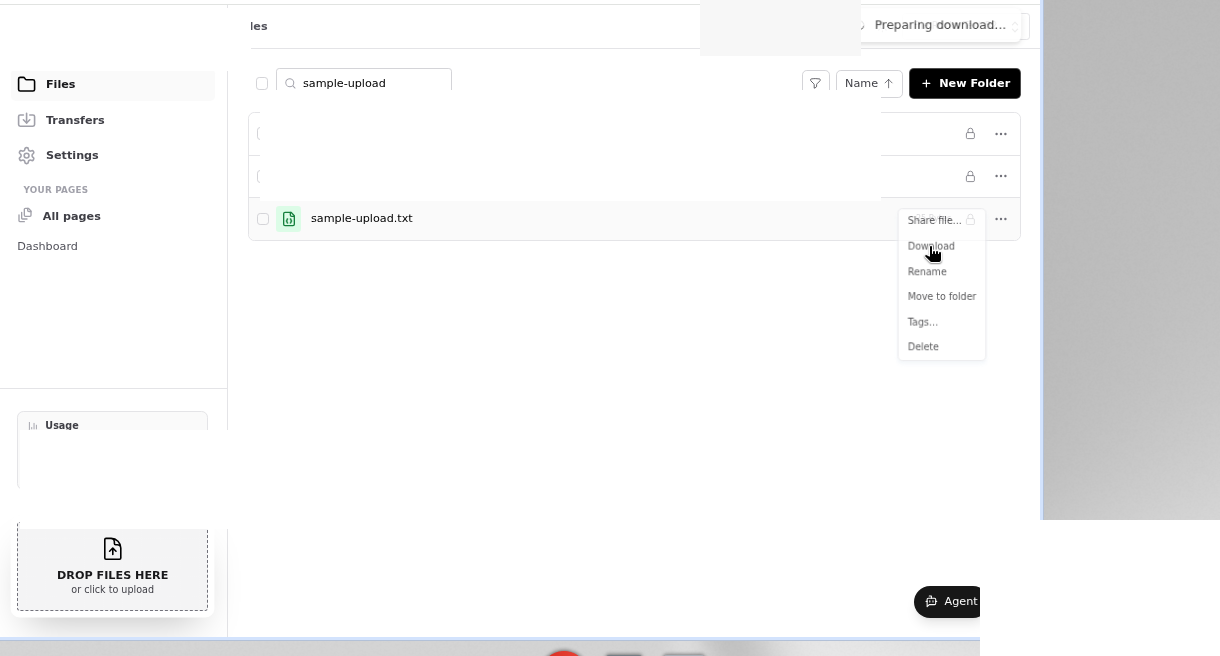
Open the file row menu. Choose Download.
The toast is Preparing download… then Download started. The object comes from the connected bucket. You are not copying out of file.rocks storage.
3. What this is not
This is not a public share link. Share file gives someone else a page with a Download button. That person never sees your bucket.
This is not upload. Drop files here puts objects in.
This is not From link. Do not paste a URL and expect a remote import. That is import a file from a link or torrent.
The objects stay in your bucket. Your provider sets the object limits.
4. Then stop
Keep the bucket paid. The file on your laptop is a copy. The original is still in the bucket.
Need a link you can send? That is how to share a file from your own bucket.
Need to put more files in? That is how to upload files to your own bucket.